
How to reorder schedule tasks

1. Open Schedule Board in Edit Mode

Open the schedule board you wish to edit by selecting it from the app's main screen. Tap on 'Edit' in the top right to switch into editing mode.
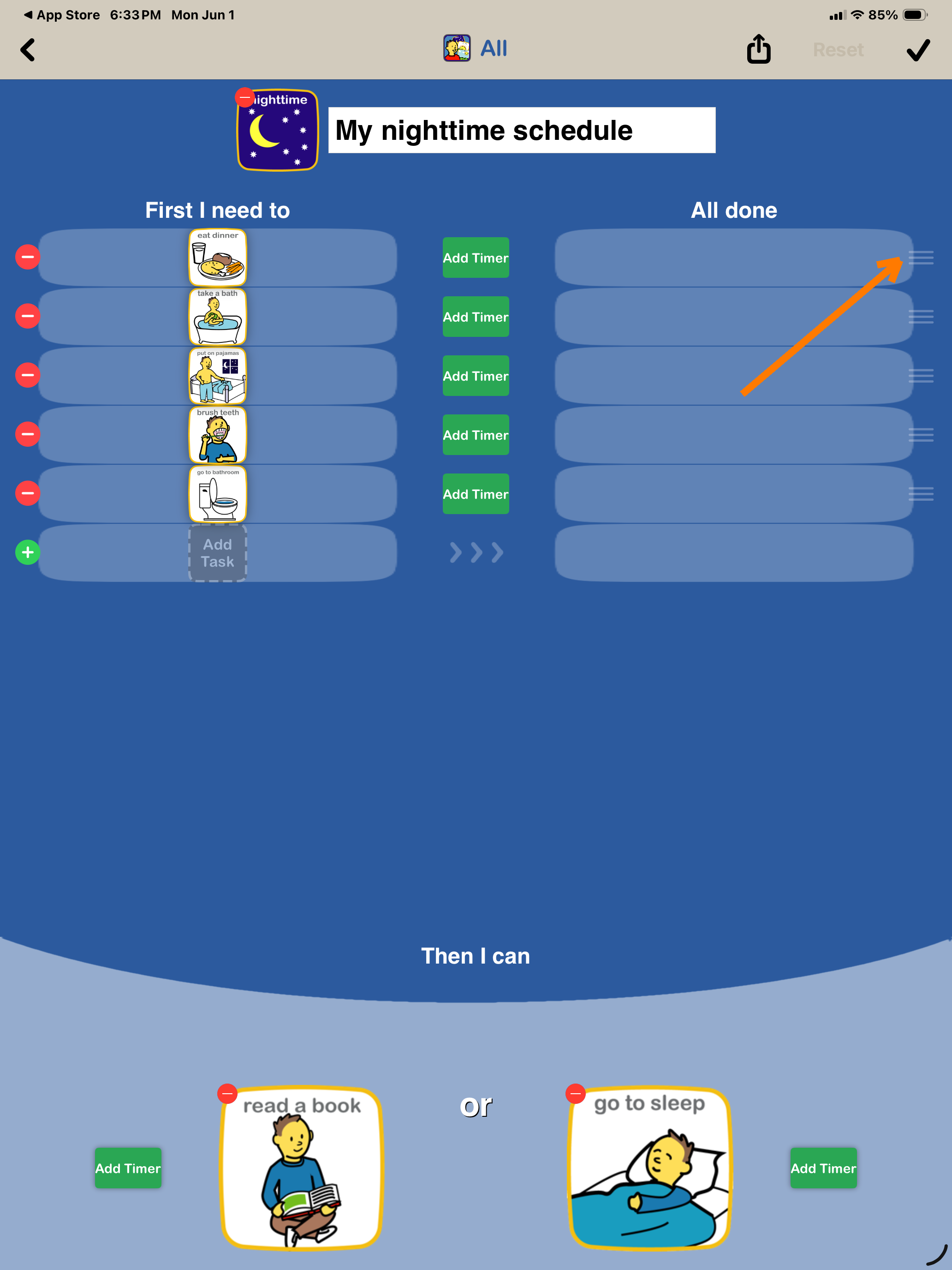

A screenshot of a mobile app displaying a bedtime routine schedule. The app is titled "My nighttime schedule" and lists tasks such as eating dinner, taking a bath, putting on pajamas, brushing teeth, and going to the bathroom, each with icons. There are also options to add timers and additional tasks.

2. Reorder tasks

Press and hold the gray 'Dragger' on the right side to reorder tasks.
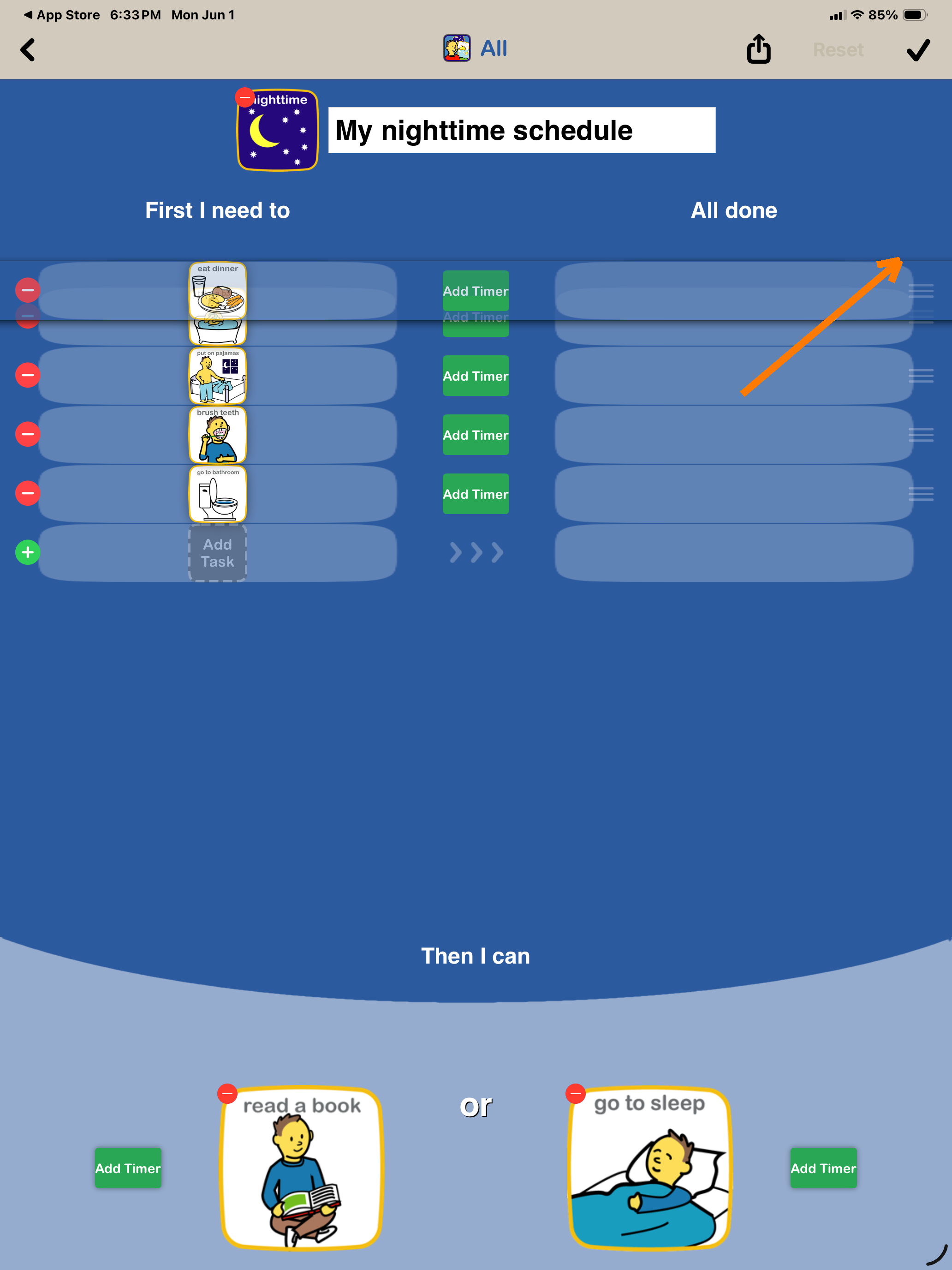


Screenshot of a digital sleep schedule app titled "My nighttime schedule". It shows tasks like eating dinner, putting on pajamas, brushing teeth, and going to the bathroom, with options to add timers and additional tasks.